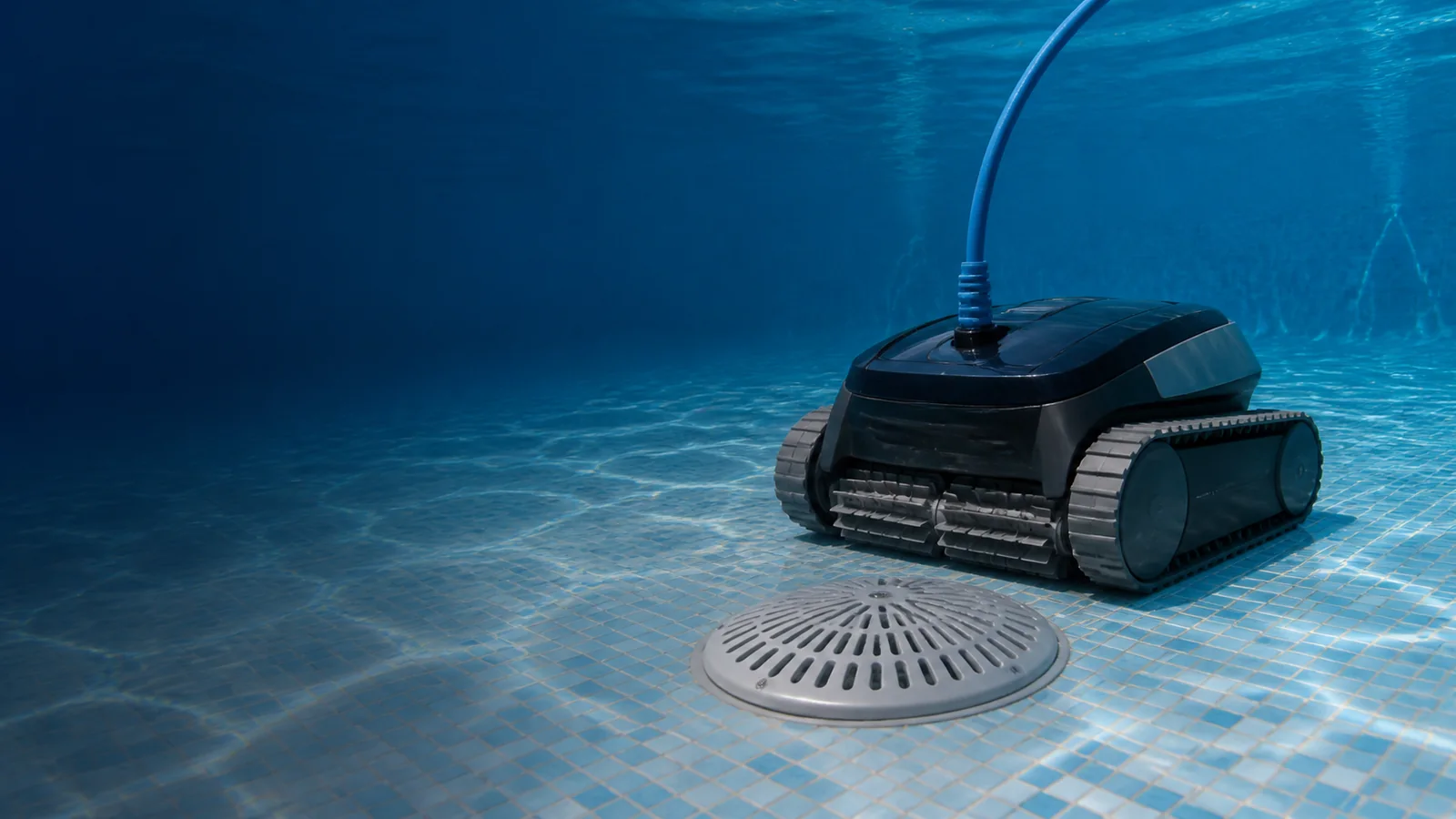
A robotic pool cleaner stuck on the drain is usually fighting one of two forces: the drain cover creates a physical high point that traps the chassis, or suction from the circulation system holds the robot down. Weak traction, a loaded filter, trapped cable and a worn brush can make either problem worse.
The safe fix is a diagnosis, not a homemade modification to the drain. This guide starts with reversible operating checks, then explains when a compliant drain-assist product or pool professional is required.
Robotic pool cleaner stuck on the drain: the quickest safe test
- Remove swimmers and switch off the robotic cleaner.
- Retrieve it by its handle or approved retrieval system, never by the power cable.
- Empty and thoroughly rinse the robot’s filter.
- Inspect the brush, tracks, wheels and intake for hair, string or stones.
- Run one observed cleaning cycle with the pool circulation pump off, if the robot manual allows independent operation.
If the robot crosses the drain with circulation off, hydraulic suction is the likely trigger. Maytronics specifically recommends turning off the pool filter system during a Dolphin cleaning cycle when main-drain suction is holding the robot. If the robot still hangs on the same cover, geometry, traction or cleaner condition is more likely.
Why robotic pool cleaners get stuck on drains
1. Main-drain suction holds the chassis down
A robot has its own pump, but it can still be affected by the pool’s hydraulic system. When the main circulation pump pulls water through a floor outlet, the cleaner can seal against the raised cover. Traction that is adequate elsewhere may not overcome the additional downward force.
2. The drain cover is a physical obstacle
A tall, steep or flat-topped cover can lift one end of the robot until the tracks or wheels lose contact. The cleaner may continue driving without moving, reverse and return, or sit until the cycle ends. The problem can be specific to one approach angle.
3. The filter is restricting flow
Robotic cleaners rely on water moving through the onboard filter for suction, cooling and, on some designs, stable wall or floor contact. A basket that looks only partly full can have fine pollen or algae embedded in the mesh. Polaris notes that restricted flow from a clogged canister can cause erratic behavior and loss of climbing performance.
4. Tracks, wheels or brushes are worn
A worn tread may move on flat plaster but slip when the drain changes the chassis angle. Check wear indicators in the manual, missing track teeth, hardened brushes and wheels that do not rotate freely.
5. Cable or retrieval line limits the escape
Excess floating cable can coil near the robot, catch a feature or pull from the wrong angle. Pentair’s robotic-cleaner guidance lists excess cable and main-drain trapping as causes of cable twisting. Feed only the length needed to reach the farthest point and lay the cable straight before the cycle.
6. The robot repeats the same approach path
A cleaner may meet the drain at the same angle because of its launch point, return jets or navigation pattern. Aiper recommends trying an entry point on the opposite side for some cordless models and documenting the drain geometry if the problem persists.
Seven fixes in the right order
Fix 1: Prove whether circulation suction is involved
Schedule the pool pump and robot so they do not overlap for one observed test. Use this only when the robot is designed to operate independently and the manufacturer permits it. Do not reduce essential daily filtration; move the filtration window instead.
If the problem disappears, maintain separate schedules or ask a professional to review valve settings and circulation. Do not close or alter suction outlets arbitrarily. Hydraulic balance and entrapment protection are safety systems, not convenience settings.
Fix 2: Deep-clean the robot’s filter
Remove the basket or cartridges and rinse from the clean side outward. Fine organic film may need the mild-soap method specified in the manual. Reinstall the filter correctly; an unseated basket or panel can disturb flow.
Fix 3: Restore free movement
- Power the unit off and disconnect or lock out charging as directed.
- Turn each track or wheel by hand only where the manual allows.
- Remove hair, string, pebbles and leaves from the brush and drive openings.
- Inspect track teeth and brush wear indicators.
- Do not open sealed motor compartments; use an authorized service center.
Fix 4: Correct cable management
For a corded robot, place the power supply where the cleaner can reach the whole pool without feeding every foot of cable into the water. Straighten coils before the cycle and keep the swivel free. Never use the cable as a retrieval rope.
Fix 5: Change the deployment point
Launch the robot from another wall so its first passes meet the drain from a different direction. This is especially useful for a cordless model whose navigation session begins from the entry point. Observe at least one complete encounter; a single lucky pass does not prove the issue is solved.
Fix 6: Use only manufacturer-approved adjustments
Maytronics says that on Dolphin models with an adjustable handle, moving the handle to the furthest forward slot can help the robot cross a drain. This advice does not apply to models without that hardware. Follow the exact manual rather than copying an adjustment from another cleaner.
Fix 7: Install a compliant drain-assist solution professionally
If suction is controlled and the robot remains mechanically healthy, the cover geometry may need a compatible bridge or ring. Polaris sells a Unibridge-style cover for certain raised suction outlets, and some manufacturers mention aftermarket drain-assist devices.
The accessory must be compatible with the existing certified cover and installed without defeating its anti-entrapment function or flow rating. Ask a qualified pool professional to identify the drain, verify its compliance and choose the correct product. Do not fabricate a ramp, place loose weights on the cover or substitute an unmarked marketplace drain cover.
Symptom-to-cause checklist
| What you observe | Most likely direction | First check |
|---|---|---|
| Robot releases as soon as the pool pump stops | Hydraulic suction | Separate the pump and robot schedules |
| Robot high-centers with tracks spinning | Drain-cover geometry | Professional drain-cover assessment |
| Robot is weak everywhere, not only at the drain | Filter, drive or battery condition | Clean filter and inspect moving parts |
| Only one approach angle traps it | Navigation path or geometry | Change deployment point |
| Cable coils around the drain area | Excess or twisted cable | Feed only required length and straighten it |
| Tracks slip on floor and walls | Worn tread, brush or slick surface | Inspect wear parts and pool condition |
What not to do
- Do not remove the drain cover to give the robot a flatter path.
- Do not loosen screws or operate with missing fasteners.
- Do not install an unmarked generic cover without verifying the applicable safety standard and flow rating.
- Do not alter valves blindly if you do not understand the pool’s suction layout.
- Do not attach weights or homemade ramps that can become entanglement or entrapment hazards.
- Do not keep restarting a stalled robot when the drive motor, tracks or cable are under load.
When to stop troubleshooting
Contact the cleaner manufacturer or an authorized service center when the robot remains weak after a filter cleaning, one track does not reverse, the motor reports repeated errors, the cable is damaged or the sealed drive housing would need to be opened. Contact a qualified pool professional when the drain cover is cracked, loose, unmarked, past its service life or hydraulically suspect.
If the drain cover is broken or missing, keep the pool closed until it is replaced correctly. CPSC safety guidance treats compliant, intact drain covers as an essential anti-entrapment layer.
How to prevent the problem from returning
- Run the circulation pump and independent robot at separate times when recommended.
- Rinse the robot’s filter after heavy debris or algae cleanup.
- Inspect tracks, brushes and cables at the start of each month.
- Record the best launch point and cable length for the pool.
- Include the main-drain cover in the pool professional’s periodic safety inspection.
- Keep the cleaner firmware current when the manufacturer provides updates.
If recurring drain trouble is part of a broader replacement decision, compare models in our robotic pool cleaner guide. A premium model such as the Dolphin Sigma or Polaris VRX iQ+ still needs compatible pool geometry; price alone does not eliminate drain interactions.
Frequently asked questions
Why does turning off the pool pump help?
It removes main-drain suction created by the circulation system. The robot can then rely on its own traction to cross the cover. Reschedule filtration rather than reducing required daily circulation.
Can I close the main drain valve myself?
Do not change suction-system valves unless you understand the plumbing and manufacturer guidance. Incorrect settings can affect pump priming, flow and safety. A pool professional can evaluate the system.
Will a drain cover ring solve every case?
No. It helps only when the accessory is compatible and cover geometry is the cause. A clogged filter, worn tracks, a weak battery or trapped cable requires a different fix.
Is the robot damaged if it gets stuck once?
Not necessarily. Inspect it and run an observed test. Repeated stalling should not be ignored because it can stress drive components, twist the cable and leave the pool incompletely cleaned.
Can a cordless robot get stuck on a drain?
Yes. Removing the cable does not change drain height, suction or track contact. Cordless models can also repeat a problematic approach path.
Final verdict
Start by cleaning the robot and running one observed cycle with pool circulation off. That single test separates many suction problems from geometry and traction problems. Correct wear and cable issues next. If the drain remains the obstacle, use only a compatible, safety-compliant solution selected by a qualified professional. The drain cover protects people first; cleaner convenience comes second.